Salesforce SOQL FORMULA() in WHERE Clauses (Beta)
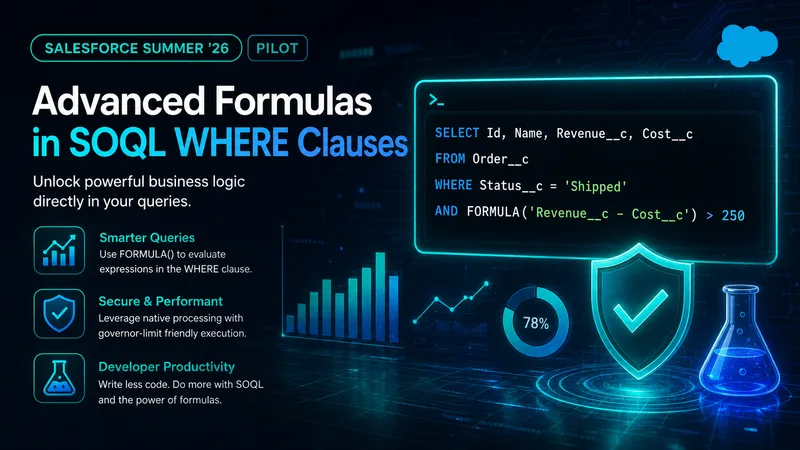
SOQL has always been good at filtering on stored field values, but less helpful when the condition itself is a calculation. Profit is revenue minus cost. Shipping delay is ship date minus order date. Until now, filtering on those results usually meant adding a formula field or retrieving a wider set of records and calculating the answer in Apex.
Salesforce began testing a different approach in Summer ‘26. FORMULA() in SOQL places a quoted arithmetic comparison inside a WHERE clause, allowing the platform to filter on the calculated result.
That is an interesting direction for SOQL, particularly for query-specific rules and packaged applications that cannot freely change a subscriber’s schema. It has also moved on since this article first appeared. What launched as an enrolment-gated pilot is, from Winter ‘27, a beta you can switch on yourself, backed by a proper SOQL and SOSL Reference entry rather than a release note and a blog post. That reference answers several questions this article originally had to leave open, and the sections below distinguish what Salesforce now documents from what still needs testing.
📰 What Salesforce Documents
Section titled “📰 What Salesforce Documents”The useful part of this feature is its query-specific placement: the calculation stays with the query that needs it. Salesforce describes the expression as being evaluated as part of filtering, so callers can receive records that already satisfy the calculated condition.
The documented syntax is narrower than “an arithmetic expression”. It compares exactly two field values:
WHERE FORMULA('fieldName op fieldName') comparisonOperator literalValueopis the arithmetic operator, and only+and-are supported.comparisonOperatoris a standard comparison:>,<,=,>=,<=, or!=.literalValueis the value the calculated result is compared against.
Both fields must use a supported data type:
| Supported field data type |
|---|
| Double/Decimal |
| Integer |
| DateTime |
| Date |
| Currency |
Salesforce also publishes explicit restrictions:
- If the left-hand side is not a date type, the right-hand side cannot be a date type.
DATEandDATETIMEfields cannot be mixed in the same expression.- Only
+and-are supported. FORMULA()in aWHEREclause does not support any other formula engine capabilities.
🧩 Why Developers Might Care
Section titled “🧩 Why Developers Might Care”When a filter depends on a calculated value, the established options each carry a trade-off:
- Create a formula field: reusable and dependable, but unnecessary metadata if only one query needs the result.
- Filter in Apex: flexible, but the query retrieves records that code may immediately discard.
- Filter downstream: moves the calculation to an integration or analytics process and transfers a wider dataset.
FORMULA() targets cases where the calculation belongs only to data retrieval. It could reduce one-off fields, keep filter logic visible in code review, and remove some post-query loops. This is particularly relevant for ISVs and integration developers working with schemas they do not control.
🛒 Reproducing the Example in a Sandbox
Section titled “🛒 Reproducing the Example in a Sandbox”Salesforce’s announcement uses an e-commerce order scenario. A custom object named Order__c can collide with Salesforce’s standard Order object, so this version uses the deliberately test-specific API name Formula_Test_Order__c.
Add these custom fields:
| Field | Type | Purpose |
|---|---|---|
Revenue__c | Currency | Total order value |
Cost__c | Currency | Fulfilment cost |
OrderDate__c | Date | Date the customer placed the order |
ShipDate__c | Date | Date the order shipped |
Status__c | Text | Current order status |
Then create the seven records used by the published examples:
| Order | Revenue | Cost | OrderDate | ShipDate | Status |
|---|---|---|---|---|---|
| ORD-001 | 500 | 200 | 01 Apr | 02 Apr | Shipped |
| ORD-002 | 400 | 250 | 05 Apr | 12 Apr | Shipped |
| ORD-003 | 800 | 300 | 10 Apr | 11 Apr | Shipped |
| ORD-004 | 300 | 150 | 12 Apr | 14 Apr | Delivered |
| ORD-005 | 1200 | 400 | 15 Apr | 25 Apr | Shipped |
| ORD-006 | 550 | 420 | 18 Apr | 20 Apr | Delivered |
| ORD-007 | 650 | 450 | 20 Apr | 21 Apr | Shipped |
These records assume one currency, populated input fields, and date-only values. Nulls, multiple currencies, and DateTime boundaries belong in a separate edge-case test.
💰 Filter on Currency Arithmetic
Section titled “💰 Filter on Currency Arithmetic”To find shipped orders with profit greater than 250:
SELECT Id, Name, Revenue__c, Cost__cFROM Formula_Test_Order__cWHERE Status__c = 'Shipped'AND FORMULA('Revenue__c - Cost__c') > 250Against the sample data, this returns ORD-001, ORD-003, and ORD-005. Without FORMULA(), the same rule needs a formula field or a calculation after querying candidate records.
🚚 Filter on Date Arithmetic
Section titled “🚚 Filter on Date Arithmetic”To find orders that shipped more than three days after the order date:
SELECT Id, Name, OrderDate__c, ShipDate__cFROM Formula_Test_Order__cWHERE FORMULA('ShipDate__c - OrderDate__c') > 3This returns ORD-002 and ORD-005. Salesforce uses the comparison to represent days, but still documents no fractional-day, time-zone, or daylight-saving behaviour for DateTime subtraction. Note also that DATE and DATETIME fields cannot be mixed in one expression.
🔗 Combine Computed and Standard Conditions
Section titled “🔗 Combine Computed and Standard Conditions”To find orders with revenue above 600 that shipped within two days:
SELECT Id, Name, Revenue__c, OrderDate__c, ShipDate__cFROM Formula_Test_Order__cWHERE Revenue__c > 600AND FORMULA('ShipDate__c - OrderDate__c') <= 2This returns ORD-003 and ORD-007, demonstrating that the computed condition can sit beside an ordinary filter.
🧭 Where It Could Fit
Section titled “🧭 Where It Could Fit”The feature is not a replacement for formula fields. The important design question is whether the calculated value belongs in the data model or only in one query.
| Approach | Best fit | Watch for |
|---|---|---|
| Formula field | The value is reused in reports, list views, page layouts, validation, or automation. | Adds metadata and becomes a maintained business definition. |
FORMULA() in WHERE | The arithmetic is query-specific, compares two supported fields, and the work is in a sandbox, Developer Edition, or scratch org. | Beta change risk, no production availability, and undocumented edge cases. |
| Apex or downstream filtering | The rule requires richer logic, or the target is production, where the beta is unavailable. | More records may cross the query boundary. |
For durable SOQL design, the existing guides on filtering with WHERE, advanced filter logic, and query performance remain the stable foundation.
⚠️ What the Public Material Does Not Yet Answer
Section titled “⚠️ What the Public Material Does Not Yet Answer”The Winter ‘27 reference closed several gaps the Summer ‘26 pilot left open. Placement, operators, supported types, and the date-mixing rules are now documented rather than inferred. What remains open is mostly runtime behaviour at the edges:
| Area | Now documented | Still needs testing |
|---|---|---|
| Placement | WHERE only; SELECT explicitly unsupported | HAVING and tooling support |
| Arithmetic | + and - only; no other formula engine capabilities | — |
| Operators | >, <, =, >=, <=, != | — |
| Types | Double/Decimal, Integer, DateTime, Date, Currency; DATE and DATETIME cannot be mixed; date types cannot sit opposite a non-date left-hand side | Null propagation and coercion within the permitted combinations |
| Dates | Date subtraction compared as days | Fractional days, time zones, daylight saving, and precision |
| Currency | Currency fields are supported | Multi-currency conversion and rounding |
| Query operations | Apex and API callers can receive filtered rows | Bind variables inside expressions, relationship references, indexing, and Query Plan behaviour |
Treat anything in the right-hand column as a test question, not a platform promise. The status has already moved once, so recheck the reference after each release rather than assuming the contract above is final.
💭 My Take: Promising, with Potential to Expand
Section titled “💭 My Take: Promising, with Potential to Expand”My view is that FORMULA() is a genuinely useful and potentially very exciting addition to SOQL. Keeping a small, query-specific calculation inside WHERE solves a real problem: it can avoid creating a formula field solely to support one query, or retrieving rows only to discard them in Apex.
The beta already addresses useful cases, but it cannot be a production design yet. Salesforce does not offer it in production orgs at all. So the practical question is not whether to build on it, but how thoroughly to evaluate it in a non-production org while it is still in beta. Even there I would hold conclusions loosely, given the beta status, the undocumented query-planning behaviour, and the open questions above. None of that reflects a lack of value in what it can do today.
If Salesforce expands the feature in future, one possibility could be returning a calculated value from SELECT, such as a profit or age value alongside the underlying fields. This might reduce repeated calculations in Apex and API consumers without requiring every temporary value to become part of the object schema. Salesforce has not announced this capability, but it is an interesting direction the feature could take.
🧪 A Sensible Beta Evaluation
Section titled “🧪 A Sensible Beta Evaluation”The goal of a beta test is to produce evidence that can survive a release change, rather than a single successful query in Developer Console.
-
Open a sandbox, Developer Edition, or scratch org on API version 68.0 or later. No enrolment is needed, but confirm the Beta Services Terms apply to your use.
-
Reproduce the published examples before extending the syntax. The reference uses standard fields, so
SELECT Id FROM Opportunity WHERE FORMULA('Amount - ExpectedRevenue') > 100needs no setup at all. -
Add edge cases for nulls, negative values, mixed numeric types, multiple currencies, and DateTime boundaries. Confirm the documented restrictions fail as described rather than silently returning wrong rows.
-
Test realistic volume and compare Query Plans, timings, and returned-row counts with the existing implementation.
-
Use the real execution context so record and field access match the eventual Apex or API caller.
-
Document the environment and exact query when sharing feedback in the Salesforce Developers Trailblazer Community.
Keep the expression static rather than building it from user-controlled input. If dynamic SOQL is unavoidable, apply the usual injection controls and retain the security practices used for any SOQL query.
🏁 Conclusion
Section titled “🏁 Conclusion”I think FORMULA() has a genuine place in SOQL: small, query-local calculations that do not deserve permanent metadata. The beta already demonstrates that value, and the move from an enrolment-gated pilot to a self-serve beta with a documented reference is a good sign for where it is heading.
It will be interesting to see whether the feature eventually grows to include calculated values in SELECT, but that possibility should not be confused with what is published: the reference rules SELECT out today. For now, this is a feature to evaluate, not a settled SOQL pattern — and with no production availability, evaluation is all it can be. Keep production designs on generally available capabilities and treat beta results as provisional evidence.